

- Once logged in, you will be presented with subjects to choose from.
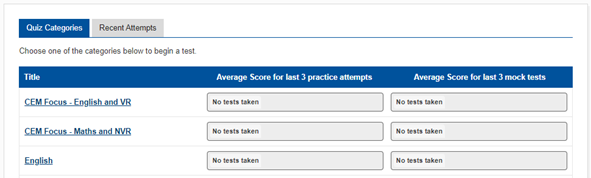
- Select a subject.
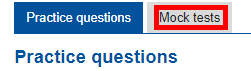
- Go to the ‘Mock tests’ tab.
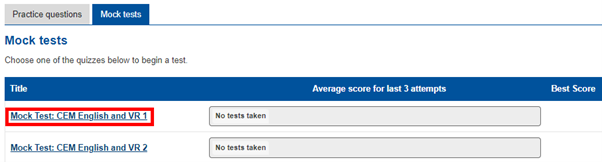
- Select a test.
- Click ‘Start Test’.
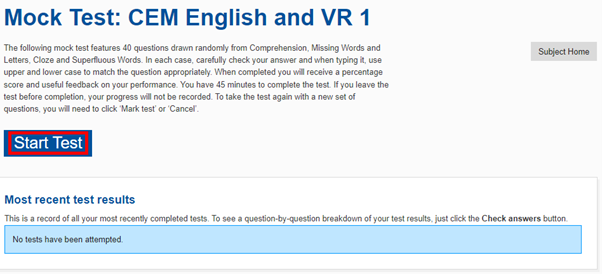
You can return to the quiz options by clicking ‘Subject Home’. - You will be given a number of questions and see a timer counting down.
- Once you are ready, click ‘Mark quiz’ to check your answers.
This will also happen automatically once the timer runs out. - Click ‘Cancel’ if you want to exit without marking and no progress will be saved.
- Once you have finished reviewing your marks, click ‘Close Test’ to return to the previous screen. You can review this attempt again in the future from here.